| Home | Contents | Start | Prev | 1 | 2 | 3 | 4 | 5 | 6 | 7 | 8 | 9 | 10 | 11 | 12 | 13 | 14 | 15 | 16 | 17 | 18 | 19 | 20 | 21 | 22 | Next |
Power Distribution
Power
The power source for kupe will be one or two 12v batteries. Currently I am using one 12V 7Ah lead-acid battery. I have enough room to replace this with a 14Ah device or use two 12V 7Ah batteries instead. These could be connected in parallel or series if I decide to move to 24v drive and change the motors.
I will stick to lead-acid batteries for now as they add extra weight (traction), are easy to charge and are a safe technology. There are drop-in lithium replacements but I see no need to go there at this stage.
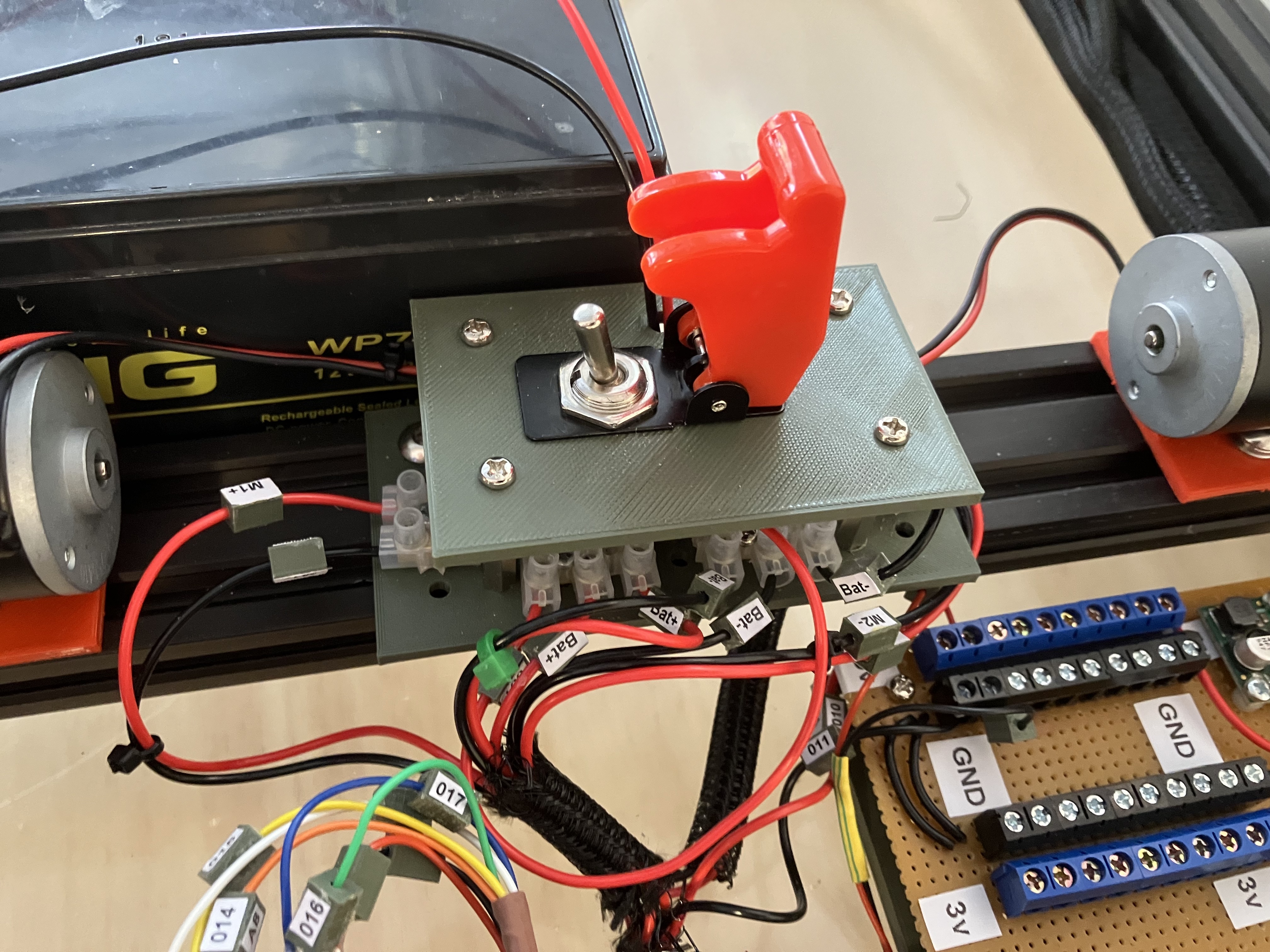
Power from the batteries goes through a simple power board (a set of connector blocks and an on-off switch) and feeds the motors via the Motor Driver Board. It also powers the 3v/5v Power distribution board.
Power Distribution Board
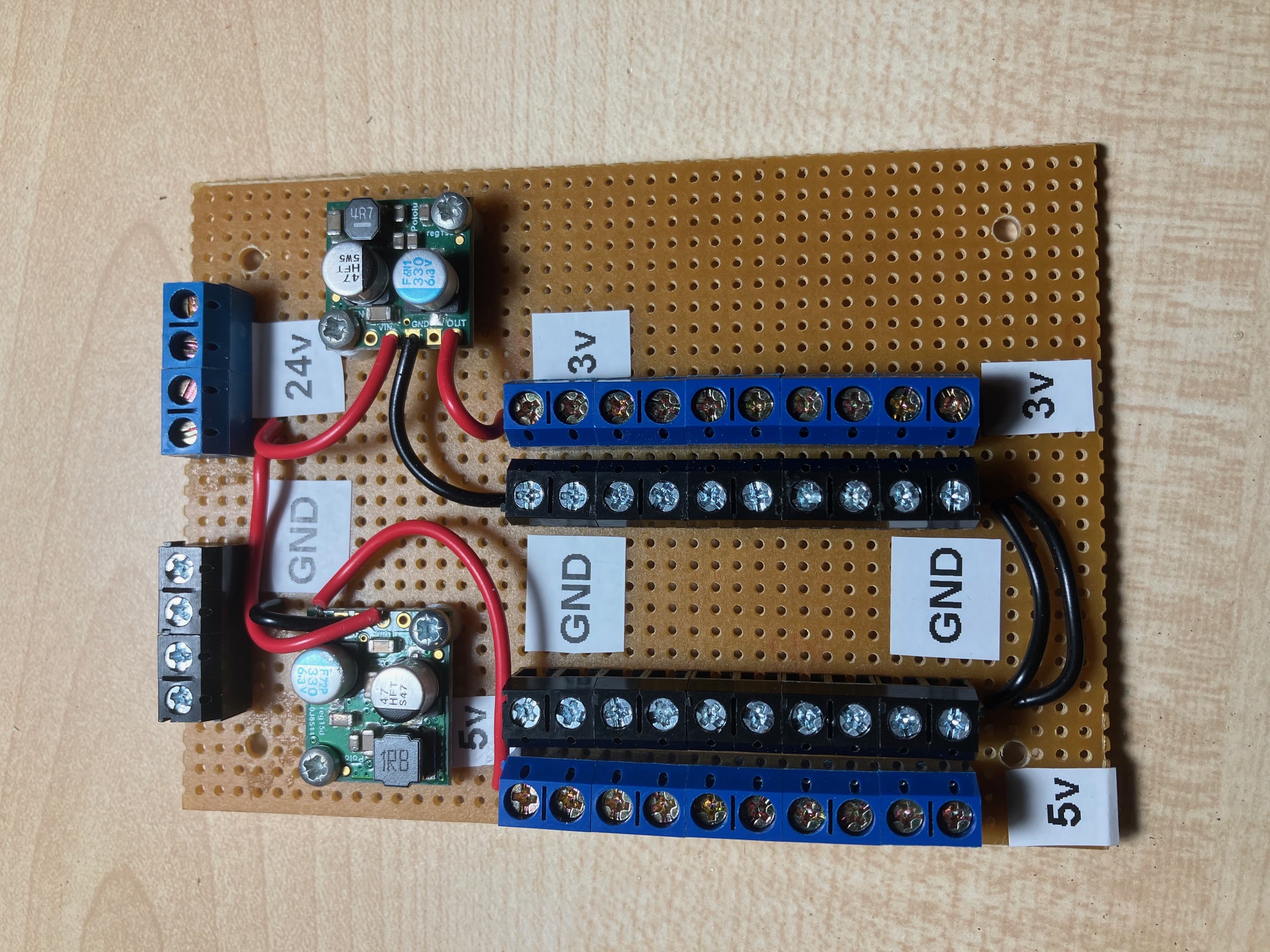
Moana had plentiful 5v and 3.3v power distribution, including a USB socket. This worked well and kupe will use a similar mechanism. I pulled the buck converters from moana and reused them on a veroboard power distribution board. There is provision for ten 5v taps and ten 3.3v taps. The buck converters used were Pololu 5V, 5A Step-Down Voltage Regulator D24V50F5 as well as a Pololu 3.3v 2.5A regulator.
Powering the Raspberry Pi
This proved somewhat more convoluted than I expected. A Raspberry Pi 3 draws up to 3A whereas the Pi 5 is rated at 5A which is the limit of of my 5V supply. In practice, I see the Pi 5 draws much less than 5A, but I'm not running any heavy processing software yet. I initially repurposed the USB-A socket from Moana and connected via u USB-A to USB-C cable. Although the Pi booted ok, there was a warning on the monitor saying the power supply could not supply the full current required and USB peripherals would be current limited. Although I'm not overly concerned by that, I believe the Pi itself is affected as remotely logging in via VNC was much more sluggish than when powering the Pi 5 via a mains adapter. So, I decided to give the Pi its own dedicated power supply.
I created a daughter board with a USB-C connector and a suitable 5V 6A regulator. This is independent of the 5V 5A supply used for the arduino and another other peripherals.
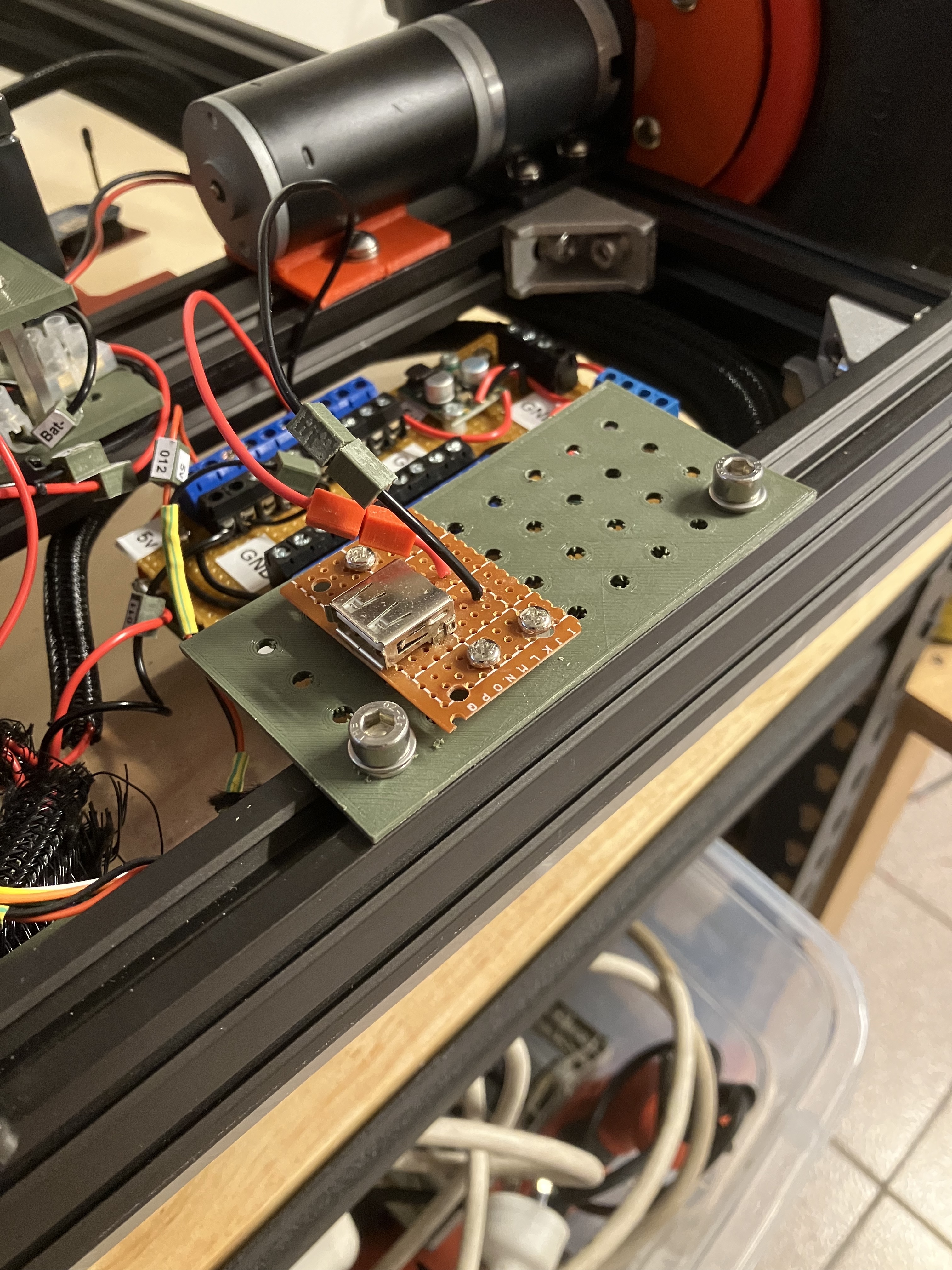
The usb daughter board was mounted on the extrusion above the power distribution board. During tests, it gave gives the same warnings as before. This is where I went down the rabbit hole.
USB-C Cables
All USB-C cables are not created equal. Most of the laptop/phone charger cables can only supply up to 3A (15W) (or even less), many have no markings or wattage ratings on the cables. To get 5V 5A, we need at least a 25W cable. They seem to come in flavours of 60W, 100W and even higher. So, I eventually found a cable that can supply 5A and used that and then found I was still getting the same errors on the screen.
I assumed that the error may be because the PD expectation of the Pi and tried tying other USB-C pins high and low via resistors as suggested by the USB-C documentation to try and fool the Pi. It was not fooled.
Adjusting the Pi Configuration
I know I can supply 5V, 5A but the Pi does not think so, probably due to some PD magic, which I do not want to replicate. I found that turning the Pi off, removing the SD card and restarting it gives some good diagnostics. Press escape for more details. When running off the Pi power supply, it recognized a 5000mA supply. When running off my regulator board, it says it is unknown and capable of 3000mA. I know better, but the machine says no.
After some suitable googling, I found that you can adjust the Pi internal config and eeprom config as below:
sudo vi /boot/firmware/config.txt

Add:
usb_max_current_enable=1

save and exit.

----
sudo rpi-eeprom-config -e

Add:
PSU_MAX_CURRENT=5000

save and exit

Reboot the Pi
So, I don't know the intracacies of what the Pi5 is doing, but this is forcing it to accept that a 5V, 5A capable supply is connected, by-passing whatever PD is saying. WHen the Pi came up, the warning has gone and everything seems to run a full speed. So time to climb out of the rabbit hole and get on with other things.
May 2026
| Home | Contents | Start | Prev | 1 | 2 | 3 | 4 | 5 | 6 | 7 | 8 | 9 | 10 | 11 | 12 | 13 | 14 | 15 | 16 | 17 | 18 | 19 | 20 | 21 | 22 | Next |